
AI for Spreadsheets: 12 Excel and Google Sheets Jobs an Agent Does for You, With Prompts
How to use AI for spreadsheets in 2026 without learning formulas: twelve Excel and Google Sheets jobs an AI agent does from your files, from cleaning a messy export and a cash-flow forecast to pivot tables, charts, invoice tracking and Making Tax Digital records, with the prompt for each and what Copilot, Gemini, ChatGPT and Claude charge.
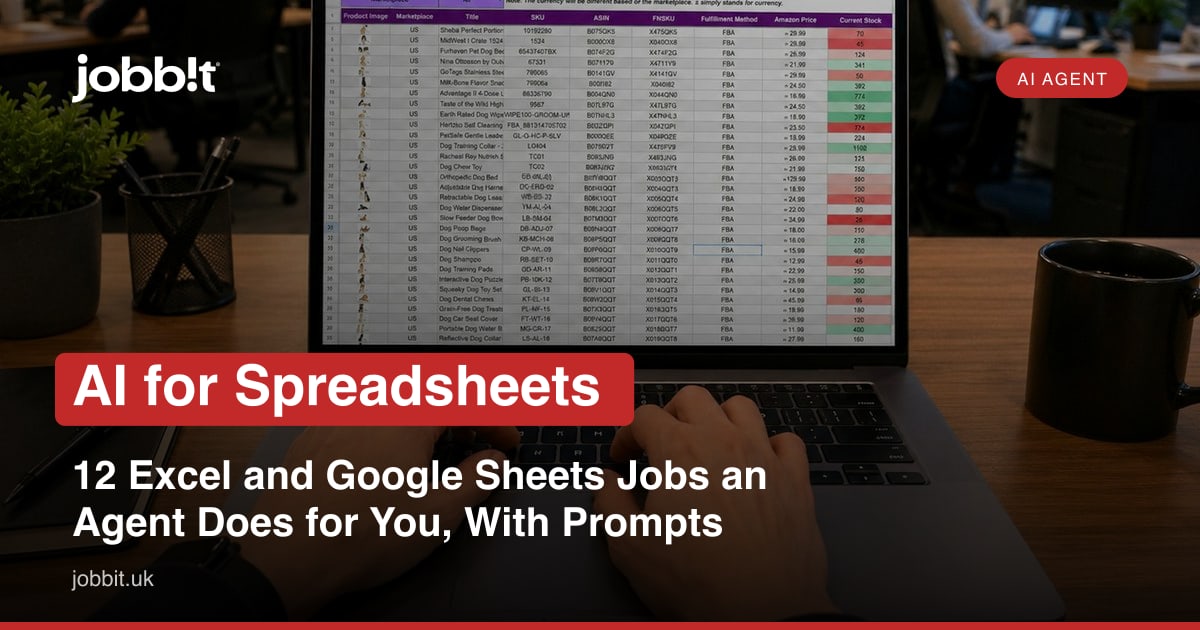
Every small business runs on one spreadsheet that nobody fully understands. It started as a price list, grew a tab for invoices, then a cash-flow forecast with a formula somebody's nephew wrote in 2022, and now a wrong number in it would cost real money. That fear is justified: Ray Panko's long-running research, summarised for the European Spreadsheet Risks Interest Group, found errors in 88% of the 113 spreadsheets audited across seven studies, and 94% in a later set of intensive inspections. Public Health England lost 15,841 Covid test results in October 2020 to an old Excel file format's row limit. Spreadsheets fail quietly, and the people who depend on them rarely have time to learn VLOOKUP.
AI for spreadsheets has mostly meant a button inside Excel or Sheets that writes a formula for you, on a paid plan. An AI agent works the other way round: you attach the file and say what you want in plain English, and it does the job, checks its own work, and hands the spreadsheet back with the formulas, the chart and a note of what it changed. This guide covers twelve jobs a small business can hand to an agent this week, with the prompt for each, the limits worth knowing, and what the built-in assistants from Microsoft, Google, OpenAI and Anthropic charge for the same help.
Have the messy spreadsheet open now? Attach it on Jobbit and paste prompt 1 below. Free plan, 100 credits a day, no card.
The 12 jobs at a glance
| Job | What you attach | What comes back | The prompt in one line |
|---|---|---|---|
| 1. Clean a messy export | The CSV from the till, bank or shop platform | Dates, names and amounts fixed, duplicates removed, a change log | "Clean this export and tell me what you changed" |
| 2. Cash-flow forecast | Last 12 months of bank statements | A 12-month forecast with the quiet months flagged | "Build a cash-flow forecast from these statements" |
| 3. Invoice tracker | Your invoices or a list of them | A tracker with due dates, overdue flags and a chase list | "Build an invoice tracker with overdue alerts" |
| 4. Pivot tables and summaries | Any sales or expense sheet | Totals by month, product, customer or category | "Summarise sales by product and month" |
| 5. Charts for a meeting | The same sheet | Three clear charts with titles, exported as images | "Make three charts for the bank meeting" |
| 6. Price list and margins | Supplier prices and your prices | Margin per product, the ones below target highlighted | "Add cost, margin and a flag under 40%" |
| 7. Stock sheet | Stock counts and sales | Reorder points and a weekly reorder list | "Build a stock sheet with reorder alerts" |
| 8. Merge two sheets | Customers in one, orders in another | One sheet matched by name or email, mismatches listed | "Match these two sheets and show what did not match" |
| 9. Explain and check formulas | The inherited spreadsheet | Every formula explained in English, errors found | "Explain every formula and find the mistakes" |
| 10. Rota or timesheet | Staff hours | Weekly hours, overtime, cost at each rate | "Turn these timesheets into weekly hours and cost" |
| 11. Making Tax Digital records | Bank statements and receipts | Digital records in a compatible layout with quarterly totals | "Set up my MTD records from these statements" |
| 12. The monthly dashboard | Sales, expenses, invoices | One page: revenue, costs, cash, overdue, best sellers | "Build a one-page monthly dashboard" |
Every job comes back as an Excel or Google Sheets file you can open, with live formulas rather than pasted numbers, and the agent keeps the file so next month is "update it with October".
Jobs 1 to 4: cleaning, forecasting, tracking, summarising
1. Clean a messy export
Till systems, banks and shop platforms export data in their own way: dates as text, names in capitals, the same customer spelled three ways, amounts with currency symbols that stop them being numbers. The agent fixes all of it and lists every change, which matters because a cleaned sheet with silent changes is worse than a messy one.
Message to send
Attached is a CSV export from my till. Clean it: make all dates real dates in UK format, turn amounts into numbers, standardise customer names (same person spelled differently), remove exact duplicate rows, and split the product column into product and size where it has both. Give me the cleaned file as an Excel workbook with a second sheet listing every change you made and any row you were unsure about.
You create a free account first (an email address is all it takes, no card). Your message is kept and sent the moment you are in.
2. Cash-flow forecast
Attach twelve months of bank statements and the agent builds the forecast most small businesses never make: income and outgoings by month, the recurring costs identified, the quiet months flagged, and the lowest cash point in the next year with the date. Change an assumption ("rent goes up £200 from January") and it reruns.
Message to send
Attached are 12 months of business bank statements. Build a 12-month cash-flow forecast from them: categorise income and expenses, identify the recurring costs and their dates, project the next 12 months assuming the same pattern, and show me the lowest cash balance and when it happens. Use formulas so I can change assumptions, and add a sheet explaining what you assumed.
You create a free account first (an email address is all it takes, no card). Your message is kept and sent the moment you are in.
3. Invoice tracker
A tracker with due dates, overdue flags and a list of who to chase this week, built from your invoices. Pair it with the invoice guide for the chasing emails, which the agent drafts from the same sheet.
4. Pivot tables and summaries
"Sales by product by month" is a pivot table, and pivot tables are the feature people pay for help with. Ask in English, get the table and the formula behind it.
Jobs 5 to 8: charts, margins, stock, merging
5. Charts for a meeting
Three charts with proper titles and axes, exported as images for a slide or a bank meeting, from the sheet you already have.
6. Price list and margins
Supplier prices in one column, yours in another, and the agent adds cost, margin and a flag for anything below your target, then tells you the three products to reprice. The restaurant version of this job is the dish costing a cafe runs from its supplier invoices.
7. Stock sheet
Counts and sales become reorder points and a weekly reorder list, with the items that will run out before the next delivery at the top.
8. Merge two sheets
Customers in one sheet, orders in another, matched by email or name, with the ones that did not match listed rather than silently dropped. This is the job where spreadsheet errors are born, and the agent's mismatch list is the cure.
Message to send
Attached are two sheets: customers (name, email, postcode) and orders (order number, customer email, amount, date). Match every order to a customer by email, produce one sheet with the customer details on each order, total spend per customer, and a separate list of orders whose email did not match any customer so I can fix them by hand.
You create a free account first (an email address is all it takes, no card). Your message is kept and sent the moment you are in.
Jobs 9 to 12: the inherited sheet, hours, tax, the dashboard
9. Explain and check formulas
The spreadsheet you inherited from the last bookkeeper or the nephew. The agent explains every formula in English, finds the broken references, the hard-coded numbers hiding inside formulas and the totals that do not include the last rows added, and writes it all up before changing anything.
Message to send
Attached is a spreadsheet I inherited and do not fully understand. Do not change it yet. Explain every formula in plain English on a new sheet, find any errors (broken references, totals that miss rows, numbers typed into formulas, circular references, dates stored as text), and list them with the cell address and what you would fix. Then wait for me before fixing.
You create a free account first (an email address is all it takes, no card). Your message is kept and sent the moment you are in.
10. Rota or timesheet
Timesheets become weekly hours, overtime and cost at each rate, with the National Living Wage of £12.71 an hour (from 1 April 2026) as the floor.
11. Making Tax Digital records
GOV.UK says spreadsheets are still allowed under Making Tax Digital for Income Tax, as long as they link digitally to bridging software and records are not retyped after they go into a quarterly update. The agent sets up the records in a compatible layout, categorises each transaction and prepares the quarterly totals; the Making Tax Digital guide covers who is in and when.
12. The monthly dashboard
Revenue, costs, cash, overdue invoices and best sellers on one page, rebuilt each month from the sheets above in one sentence.
The limits worth knowing
- Excel holds 1,048,576 rows and 16,384 columns per worksheet (Microsoft's specifications page); the old .xls format that caught Public Health England held about 65,000.
- Google Sheets holds 20 million cells per spreadsheet since Google doubled the limit in September 2026.
- The agent works on files you attach, which is the right size for a small business; a 2 GB database is a different job, and it will tell you so.
- It makes mistakes too, which is why every prompt above asks for a change log, a mismatch list or an explanation sheet. Read them.
What the built-in assistants charge for the same help
| Assistant | Where it lives | Price (checked 15 October 2026) | What it does with a spreadsheet |
|---|---|---|---|
| Microsoft 365 Copilot (business) | Inside Excel | £16.10 per user a month list price on an annual plan, with a £13.80 first-year promotion to 31 December 2026, excluding VAT | Writes formulas, builds PivotTables and charts, answers questions about the open sheet |
| Microsoft 365 Personal | Excel desktop apps with Copilot | £8.49 a month or £84.99 a year | Copilot help inside Excel for one person |
| Gemini in Google Sheets | Inside Sheets | Included in Workspace Business Standard at £11.80 per user a month; not in Starter or free accounts | Formulas, summaries and tables inside the open sheet |
| ChatGPT | Upload a file to the chat | Free with limited data analysis and 3 file uploads a day; Plus £20 a month | Runs Python on the file, makes charts, returns a file |
| Claude for Excel | Add-in for Excel | On Claude Pro (£15 a month billed annually, £18 monthly) and above | Works inside the workbook with Claude Pro |
| Jobbit | Attach the file to the agent chat | Free plan, 100 credits a day; Go £7 a month for 2,000 credits | Does the whole job, returns the file with formulas, keeps it for next month, builds the dashboard and the chasing emails from it |
The built-in assistants are good at the formula you are stuck on. The agent is for the job you do not want to do at all, and for the part the assistants cannot do: keep the file, rebuild it next month, and connect it to the invoice, the email and the web page it feeds.
How an AI agent differs from asking ChatGPT
ChatGPT, Claude, Gemini, Microsoft Copilot, Manus and Meta's Muse all write formulas and most will analyse an uploaded file. Jobbit adds the parts around the spreadsheet:
- It keeps the file in a project and updates it when the next export arrives.
- It runs the job on a schedule: the Monday invoice chase list, the month-end dashboard.
- It connects the sheet to the rest: the chasing email, the price list on your website, the stock reorder sent to the supplier.
- It explains and logs every change, which is how you trust the numbers.
- It hands off to a person from the network when you want a bookkeeper to sign off the year.
A first week
- Monday. Attach the messiest export and run prompt 1. Read the change log.
- Tuesday. Twelve months of statements, prompt 2. Find your lowest cash month.
- Wednesday. The inherited sheet, prompt 9. Fix what it found.
- Thursday. Build the invoice tracker and ask for this week's chase list.
- Friday. Ask for the one-page dashboard from everything above.
Attach the spreadsheet on the free plan: 100 credits a day, no card, the file back with formulas and a change log.
Open JobbitRead next
- 20 AI Excel tips: the formula-level help inside Excel itself.
- 12 jobs an AI agent can do for your business this week: the general list.
- How to write an invoice that gets paid: the chasing sequence the tracker feeds.
- Making Tax Digital for sole traders: the deadlines and the software.
Frequently asked questions
Can AI do spreadsheets for me?
Yes. Attach the file to an AI agent on Jobbit, say what you want in plain English, and it cleans, forecasts, summarises, charts or merges the data and returns an Excel or Google Sheets file with live formulas and a note of what it changed, on a free plan with 100 credits a day.
What is the best AI for Excel?
For a formula you are stuck on inside Excel, Microsoft's Copilot (from £13.80 to £16.10 per user a month on business plans) or Claude for Excel on Claude Pro. For a whole job you do not want to do, an agent that takes the file, does the work and keeps the spreadsheet for next month.
Can AI build a cash-flow forecast from bank statements?
Yes. Attach twelve months of statements and ask for a 12-month forecast with the recurring costs identified and the lowest cash point flagged. Ask for formulas rather than pasted numbers so you can change assumptions, and for a sheet that explains what was assumed.
Is it safe to give an AI my spreadsheet?
Treat it like any supplier: use a service with a clear data policy, remove anything you do not need to share (card numbers, personal data you are not allowed to pass on), and keep the original. On Jobbit the files stay in your project and you can delete them.
Can AI find errors in a spreadsheet?
Yes, and it is one of the most useful jobs: broken references, totals that miss rows, numbers typed into formulas, dates stored as text and circular references. Ask it to list the errors with cell addresses and explain before it changes anything. Research summarised by EuSpRIG found errors in 88% of audited spreadsheets, so assume there are some.
Does Google Sheets have AI for free?
Gemini in Sheets is included in paid Google Workspace plans from Business Standard (£11.80 per user a month) and not in free personal accounts. ChatGPT's free tier allows limited data analysis with three file uploads a day. An agent on Jobbit works on an attached Sheets or Excel file on the free plan.
Can I still use spreadsheets for Making Tax Digital?
Yes. GOV.UK says you can keep records in spreadsheets if you use bridging software that links to them, with digital links between the records and the submission, and no retyping after a quarterly update. The agent sets up the layout and the quarterly totals; the submission goes through the software you choose.