
How to Make a Logo for Your Business in 2026: Free, On-Brand and Print-Ready (Design.com, Canva, Looka, Adobe Express)
How to make a logo for your business in 2026, free and print-ready: 5 checks, 11 logo makers compared, the files you need and the UK trade mark check.
A usable logo passes five checks before you fall in love with it, exists as a vector file, a transparent PNG and a one-colour version before you print anything, and does not share its icon with three other businesses in the same town. Most free logo makers hold those files behind a subscription. This guide compares 11 logo makers by what the free tier really gives, covers the UK trade mark check and the one message that gets an AI agent to draft three concepts first.
The logo is the first thing a new business buys and the first thing most owners regret. The usual story: an evening on a free logo maker, a design that looked fine on the screen, and then a printer asking for "the vector file", a web designer asking for "a transparent PNG", and a van sign-writer asking for "the one-colour version". None of those files exist, and the site that made the logo wants a subscription before it will hand them over. Meanwhile the mark itself was built from an icon that three other businesses in the same town are also using.
This guide shows you how to make a logo that survives contact with the real world. You will get the five checks a usable logo passes, an honest comparison of eleven logo makers by what the free tier actually gives you, the exact files to ask for before you print a single business card, the UK trade mark check that takes ten minutes and saves a rebrand, and a shortcut: a brief you can hand to any AI agent to draft three concepts before you commit to a tool.
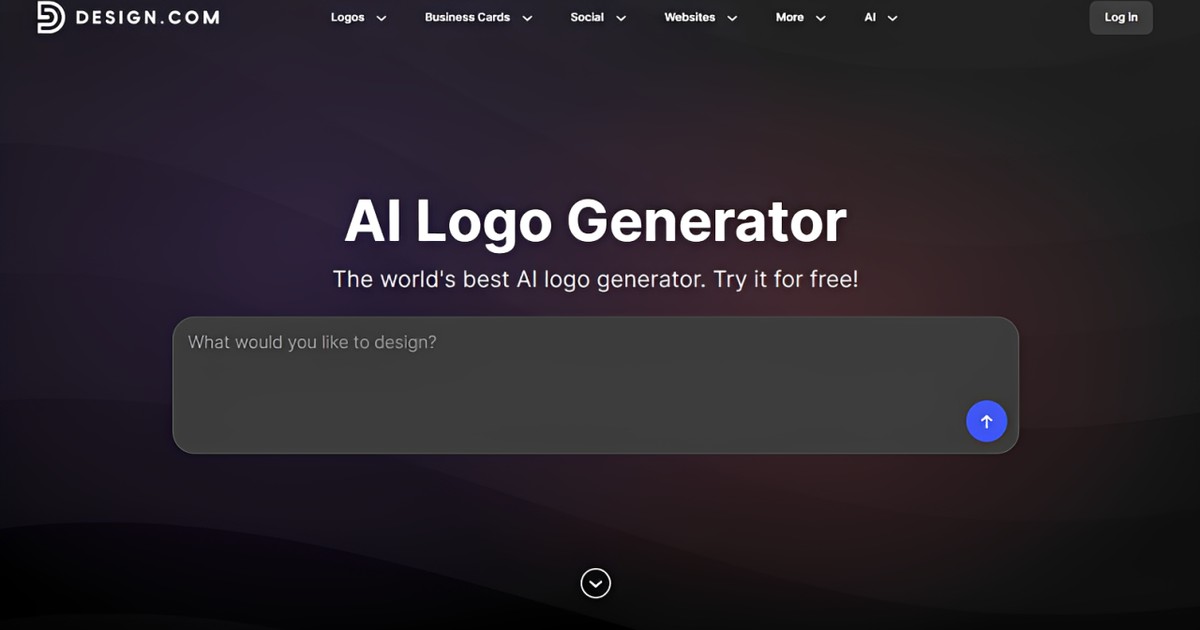
Short on time? Design.com's AI logo generator builds an on-brand logo from your business name, keyword and industry, with free downloads and no watermark. The checklist below tells you which files to take away before you print.
Brief an AI agent for three concepts before you choose a tool
The fastest way to find out what you actually want is to brief an AI agent the way you would brief a designer, and let it draft, export and check. Paste this into any capable agent, filling in the brackets:
1Create three logo concepts for [Business name], a [what you do] in [town]. Style: [modern, warm, traditional]. Colours: [two colours or "suggest a palette"]. For each concept give me an SVG, a transparent PNG at 2000 pixels, a one-colour black version and a 512 pixel favicon, plus two lines on why it works. Avoid clipart and generic icons, and check the mark is still legible at 32 pixels.What comes back is not a template with your name typed in. The agent draws the mark, exports the files in the formats a printer and a web designer will ask for, and tells you which concept is the most distinctive. You reply in plain words: "make the second one bolder", "try it in navy", "put the name under the mark instead of beside it". Every change comes back as a fresh set of files, and even if you end up finishing the logo in a template tool, you arrive knowing what you like.
What a usable logo needs: 5 checks
Run any logo, from any tool, through these before you fall in love with it.
- It is legible at 32 pixels. That is the size of a browser tab icon and a WhatsApp profile picture. If the mark turns into a smudge, it fails, however good it looks on a poster.
- It works in one colour. Embroidery, engraving, a stamp and a fax-quality invoice all strip the colour out. A logo that depends on a gradient is a logo you cannot use.
- The name and the mark can separate. A wordmark (the name) and a symbol (the mark) that work alone and together give you a square version for social media and a long version for a shop front.
- You have the SVG master. SVG is the vector file that scales to a billboard without blurring. If a tool will not give you an SVG, you have a picture of a logo, not a logo.
- It is distinctive enough to protect. A stock icon of a leaf next to your name in a common font cannot be trade marked and will appear on other businesses. The trade mark section below explains the check.
How we judged the logo makers
- What the free tier really includes: a downloadable file, or a preview behind a paywall.
- Files on the paid tier: SVG, transparent PNG, one-colour versions, and whether you own the result outright.
- Originality: whether the mark comes from a shared icon library or is generated for your brief.
- Time to a usable logo including the fiddling after the generator's first attempt.
- What happens next: business cards, social templates, a website, or a dead end.
Free logo makers and AI logo generators compared (2026)
| Tool | Free tier | Paid from | Best for | The catch |
|---|---|---|---|---|
| Design.com AI Logo Generator | Free logo download, no watermark | Subscription from $9 a month for premium logos | On-brand logos from a huge template and font library | The best logos and brand kit are on the subscription |
| Canva | Free, with free elements and fonts | Canva Pro £13 a month or £100 a year | Owners who will design it themselves | Transparent PNG and brand kit need Pro; icons are shared |
| Looka | Free preview only | $20 basic PNG, $65 premium with SVG, brand kit $96 a year | The most polished wizard | Nothing downloadable until you pay |
| Adobe Express | Free templates and basic export | Premium £9.98 a month | Adobe users, animated logos | Marks come from a stock library |
| Wix Logo Maker | Free low-resolution preview | $20 basic download, up to $24 a month with website | Businesses building a Wix site | Best files sit on the higher package |
| Hatchful by Shopify | Free, full download, no card | Free | A quick first logo for an online shop | Small icon library, simple layouts |
| Tailor Brands | Free trial | About $9.99 a month, less on annual billing | Company formation plus branding | Subscription for files you use once |
| LogoAI | Free preview | About $29 for a logo package | Automated brand kits | Quality varies by industry |
| Brandmark | Free preview | $25 basic, $65 premium | Distinctive, design-led marks | No free download |
| Fiverr Logo Maker | Free preview | From about $30 per logo | A human designer as the next step | Marks are drawn from designer templates |
| A freelance designer | Not free | £150 to £1,500 in the UK | A brand that has to last a decade | Weeks, not minutes; you must brief well |
Design.com: the pick for on-brand logos
Design.com's AI logo generator is the tool to use if your main priority is a high-quality, on-brand logo rather than the fastest possible download. The generator takes your business name, a keyword and your industry into account before it shows you anything, so you start with concepts that are already close to what you need instead of a generic template that has to be edited half to death just to fit.
Quality is the other reason it tops this list. Design.com's AI draws from its own library of professionally designed templates, exclusive fonts and custom shapes, which leads to logos that are inherently more unique than the shared icon sets most generators lean on, and that are hard to replicate elsewhere. Other key features include:
- Over 500,000 logo templates, the largest library in the market.
- 575+ exclusive fonts and 62,000 custom shapes, so the type and the mark are not the same ones every other generator offers.
- Templates across a wide range of industries and styles, from a trades business to a boutique.
- A beginner-friendly editor for colour, background, text, icon, animation and the smaller details.
- AI chat editing: ask the AI to make the change in plain words instead of doing it by hand.
- A Brand Kit that applies your logo styling to business cards, social posts and other marketing materials automatically.
- A wider design toolkit in the same account: an AI image generator, background remover, website builder, presentation maker and more.
Pricing: free logos are available with no watermark, and premium logos need a subscription before you download, which starts at $9 a month. For a small business that wants a considered logo and the marketing materials to match, that is the strongest free-to-start option in this comparison.
Canva, Looka, Adobe Express and the rest: when each one fits
Canva is the right choice if you enjoy designing and want the logo to live next to your social posts and menus. The free tier is genuinely usable; the transparent PNG export and the brand kit that keeps your colours consistent need Canva Pro at £13 a month or £100 a year. The trap is originality: the icons are shared with millions of other users, so treat Canva as the place to set type around a mark you made elsewhere.
Looka has the most polished wizard of the group and shows you a strong first set of concepts, but nothing is downloadable until you buy. The $20 basic package is a single PNG; the $65 premium package is the one with SVG files and full ownership, and the $96-a-year brand kit adds hundreds of templates. Buy premium or do not buy at all.
Adobe Express suits anyone already on an Adobe plan: templates, a decent editor, animated logos for video intros, and Premium at £9.98 a month. Wix Logo Maker makes sense only if the website will be on Wix too. Hatchful by Shopify is free without a catch and fine for a first logo on a small online shop, as long as you accept a small icon library. Tailor Brands bundles company formation with branding for people starting from nothing. LogoAI and Brandmark produce more distinctive marks than the template tools, and Brandmark in particular is worth its $65 premium if design matters to you.
A freelance designer is still the right answer for a brand you expect to defend for a decade: expect £150 to £1,500 in the UK depending on experience and how many concepts you want. The best way to spend that money is to arrive with three concepts and a clear brief, which is exactly what the agent method above produces. The comparison of AI logo generators goes deeper on the generator-plus-designer approach.
The files you need before you print anything
Whatever made your logo, do not consider the job done until this folder of logo files exists. Ask the tool, the agent or the designer for it by name.
- SVG master of the full logo, the mark alone and the wordmark alone. This is the file for printers, sign-writers and web designers.
- Transparent PNG at 2000 pixels for documents, invoices and marketplaces that cannot take SVG.
- One-colour versions in black and in white, for embroidery, stamps, dark backgrounds and the footer of a website.
- A square version for social media avatars and a favicon at 512 pixels for the website.
- The colour codes as hex values for the web and, if you will print a lot, the nearest Pantone or CMYK values.
- The font names and where they were licensed, so the next person can match them.
Name the files sensibly (yourbrand-logo-full.svg, yourbrand-mark-black.png) and keep them in one shared folder. A logo that lives only inside a logo maker's account is one lapsed subscription away from disappearing.
Trade marks and the UK check
Before you print, spend ten minutes on the Intellectual Property Office's trade mark search at gov.uk. Search the name and the words in your mark in the classes that match your business. If a registered mark in your class looks or sounds like yours, change course now, not after the van is wrapped.
Registering your own trade mark is optional and often worth it once the business is trading. From 1 April 2026 the IPO's online application fee is £205 for one class, with £60 for each additional class, after the first increase in trade mark fees since 1998. The Right Start service, which examines the application before you commit to the full fee, costs £125 at each of its two stages. Registration is what stops a competitor using your mark, and it is why check five above matters: a stock icon and a common word will not pass as distinctive.
Two points on AI-made logos. Most logo makers licence you to use the result but keep the underlying templates and icons, so read the terms before you register anything, and ask for a mark that was generated for your brief rather than picked from a library. And keep the working files and the date you made them; that record is what you rely on if there is ever a dispute.
How an AI agent helps beyond the first draft
- Briefing without jargon. Describe the business, the customers and the feeling you want, and the agent turns that into a brief a designer would recognise, then drafts against it.
- Every file format at once. SVG, PNG, one-colour, favicon and social square in one pass, with the folder structure above.
- Revisions in plain words. "Warmer", "less corporate", "make the mark work without the name" are all one line each.
- Checks you would forget. Legibility at 32 pixels, contrast on dark backgrounds, and a list of similar marks to search before you commit.
- The rest of the brand. Business card, email signature, social templates and a one-page website with the logo already in place; the free website guide shows what that looks like.
- Product and marketing images in the same style, which the AI product photo guide covers.
ChatGPT, Claude, Gemini, Microsoft Copilot, Manus, Meta's Muse and Jobbit can all take the brief above; the ones that run code will also export the files, and the comparison of multipurpose agents explains which do what.
Mistakes that make a logo useless
- Printing from a screenshot. A PNG dragged out of a preview blurs at business-card size. Get the SVG.
- Five colours and a gradient. Beautiful on a phone, impossible on a stamp or an embroidered polo.
- A mark that only works large. Test at 32 pixels before anything else.
- Following this year's trend. The bevelled, glowing and hand-drawn phases all dated within two years. Simple survives.
- Changing the name after the logo. Check the domain, the social handles and the trade mark register before you finalise the wordmark.
- No brand notes. Two hex codes, one font name and one rule ("mark above name, never beside it in narrow spaces") stop the logo drifting every time someone new touches it.
A 30-minute plan for a logo this week
- Minute 0 to 5: write the brief. Business name, what you do, who buys it, three words for the feeling, two colours you like and one you hate.
- Minute 5 to 15: get concepts. The brief above to an AI agent, or a session on Design.com if you want to pick from a large template library. Aim for three, not thirty.
- Minute 15 to 20: run the five checks. Legible small, works in one colour, name and mark separate, SVG in hand, distinctive enough to search.
- Minute 20 to 25: search the IPO register for the name and the mark in your class.
- Minute 25 to 30: export the folder. SVG, transparent PNG, one-colour, favicon, colour codes and font names. Share it with whoever prints, builds or posts for you.
Frequently asked questions
How do I make a logo for my business for free?
Use a generator with a genuinely free download, such as Design.com's free logos, Hatchful or Canva's free tier, or ask an AI agent on a free plan to draft concepts and export the files. Check what the free tier gives you before you start: several popular makers show a preview for free and charge for every downloadable file.
What is the best free logo maker in 2026?
For an on-brand result from a large library, Design.com is the strongest free-to-start option and its premium logos start at $9 a month. Hatchful is the simplest fully free download. For concepts you own outright with every file format, an AI agent produces the most usable output, and a designer can polish the winner.
What files do I need for a logo?
An SVG master of the full logo, the mark and the wordmark; a transparent PNG at around 2000 pixels; one-colour black and white versions; a square social version; a 512 pixel favicon; and a note of the hex colour codes and font names. Printers and web designers will ask for exactly these.
Can I trade mark a logo made with an AI logo maker?
You can apply to register any mark that is distinctive and not too close to an existing registration in your class. Logos built from shared stock icons and common words are the ones that struggle, whoever made them. Check the tool's licence terms, keep your working files, and search the IPO register before you apply; the online fee is £205 for one class from April 2026.
How much does a logo cost in the UK?
Free to about £70 if you use a logo maker and buy the file package, £150 to £1,500 for a freelance designer, and several thousand pounds for an agency brand identity. Most small businesses do well with AI concepts first and a designer to refine the winner, which keeps the designer's time, and the bill, small.
Should the logo be the same everywhere?
The mark should be identical everywhere, but you need versions of it: a long layout for a shop front or website header, a square layout for social media, and one-colour variants for embroidery, stamps and dark backgrounds. Keep two or three brand rules written down so the versions stay consistent.
Can an AI agent make my logo?
Yes, if it can run code and export files, which the general-purpose agents can. Send the brief from the section above with your business details and you get three concepts as SVG, PNG, one-colour and favicon files with a short note on each; Jobbit does this on its free plan, and a designer from its marketplace can finish the winner if you want a human touch.